Hardware-inspired pad grid with per-pad EQ, pitch shifting, MIDI controllers, and global hotkeys. Built for musicians, streamers, DJs, and theatre. Mac, iPad, and iPhone.
LitPads covers every use case from live performance to streaming. Read the complete custom soundboard guide to see how musicians, DJs, streamers, and theatre professionals use it.
Pro unlocks everything for $29.99 · No subscription
Now available on the App Store for Mac, iPad, and iPhone.
Free
Download & start
3-Band
Parametric EQ
MIDI
Controller support
Hotkeys
System-wide triggers
Universal
Mac + iPad + iPhone
Pricing
Free to Start. Pro When You're Ready.
The free tier is not a trial. It includes 6 boards with 20 pads each, all 4 play modes, import, and recording. No time limit, no ads, no account. See the side-by-side comparison of LitPads and Soundboard Studio for the full feature breakdown.
LitPads
$0
Free forever
- ✓6 boards, 20 pads each
- ✓All 4 play modes
- ✓Retrigger modes
- ✓File import + recording
- ✓Background playback
LitPads Pro
$29.99
One-time, no subscription
- ✓Unlimited boards + pads
- ✓iCloud Sync (Mac, iPad, iPhone)
- ✓240+ sound effects library (23 categories)
- ✓Streamer toolkit: OBS control + Stream Window + timers (Mac)
- ✓Animated video pads + board backgrounds
- ✓Stream Deck integration
- ✓Per-pad parametric EQ
- ✓Pitch shifting (24 semitones)
- ✓MIDI + global hotkeys
- ✓Audio ducking + stereo pan
For Mac streamers
LitPads Studio · $49.99
Everything in LitPads Pro, plus LitLink Pro for per-app audio routing, EQ, and recording. One payment, 7-day free trial.
It's LitPads Pro with LitLink Pro already bundled in, one install. A direct download, not the App Store, since Apple doesn't allow audio drivers there. Signed and notarized by Apple. Already have Pro? You can add LitLink (Pro) separately.
Features
What Can You Do with LitPads?
Professional audio tools on every pad. No meme sounds, no voice changers, no bloat.
Hardware-Style Pad Grid
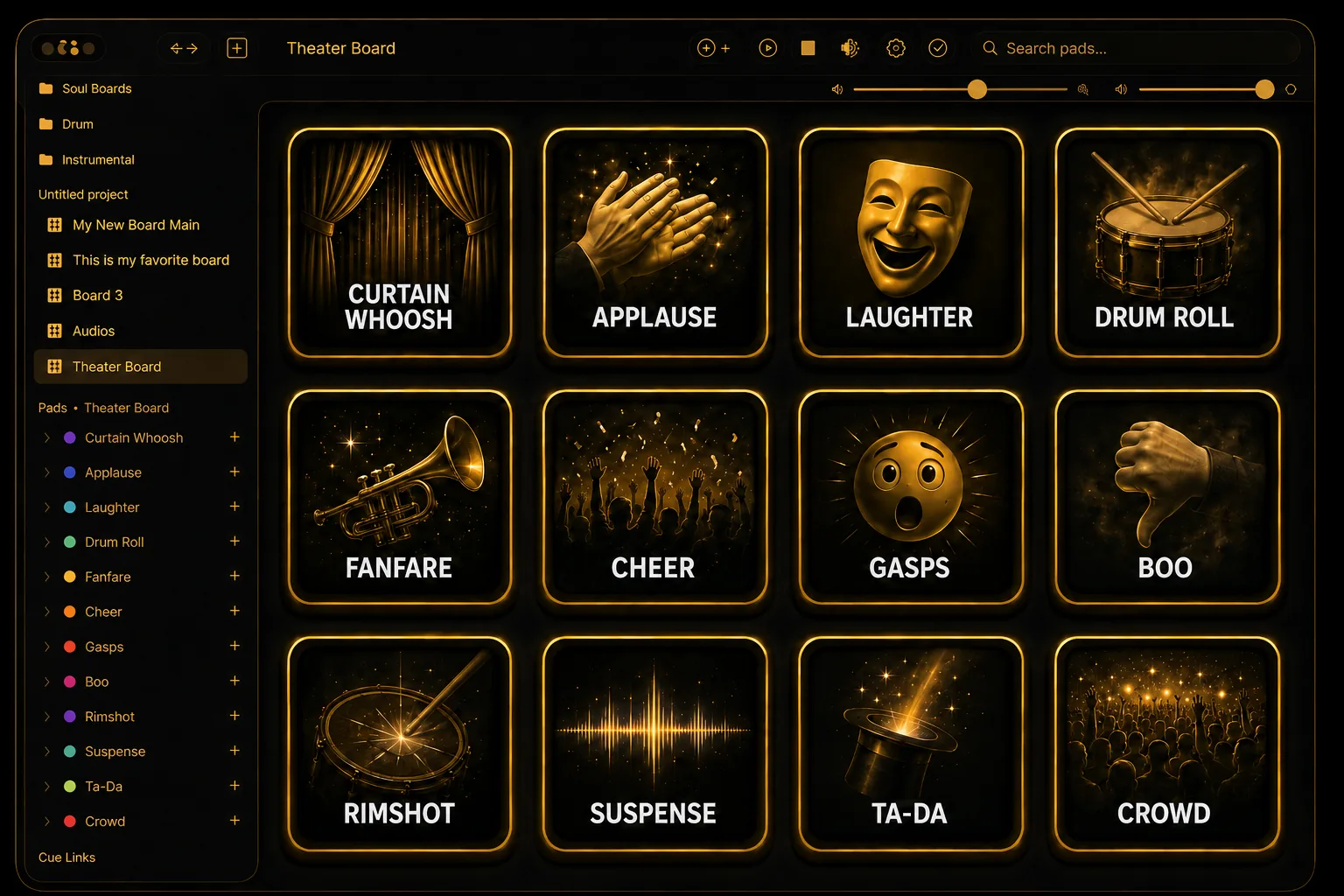
Sampler-inspired layout with waveform previews, color-coded pads, and 4 play modes: One Shot, Loop, Toggle, and Hold. Layer mode for simultaneous playback with 4-voice round-robin.
Per-Pad EQ & Spectrum
3-band parametric EQ on every pad with high pass, low pass, and sweepable mid band. Real-time 2048-point FFT spectrum analyzer displays live frequency content behind the EQ curve.
Pitch Shifting
Shift pitch by 24 semitones in two modes. Pitch mode preserves speed. Speed mode changes both like vinyl or tape. Fine tune by 50 cents for precise tuning between keys.
MIDI Controllers
Connect any USB or Bluetooth MIDI controller. MIDI Learn maps notes to pads with a single press. Velocity sensitivity scales volume based on how hard you hit.
Audio Ducking
Automatically lower background audio when a pad fires. Configurable duck amount from 5% to 80% and fade time from 0.05 to 2 seconds. Perfect for voiceovers, streaming alerts, and live announcements.
Global Hotkeys
Assign system-wide keyboard shortcuts on Mac. Trigger pads while gaming, streaming, or browsing. Supports single keys, Ctrl combos, and function keys.
Every feature runs natively on Apple Silicon with sub-millisecond latency. No cloud processing, no internet required. Most soundboard apps ship pre-loaded meme clips or voice changers. LitPads ships an empty grid and becomes whatever you build. See how it compares in our breakdown of the best soundboard apps for Mac, iPad, and iPhone.
How It Works
Three Steps to Your Soundboard
Add sounds, assign hotkeys, and trigger them anywhere. Streamers use LitPads with OBS and Discord to fire sound effects mid-game without switching windows. Our guide to the best soundboard apps for streaming covers the full setup.
01
Import Your Sounds
Drag audio files onto pads, import from Files or iCloud Drive, pick from your Music Library, or record straight from the mic. MP3, WAV, AIFF, M4A, FLAC, and AAC all supported.
02
Shape Each Pad
Dial in per-pad EQ, pitch shift up or down 2 octaves, set play modes, assign hotkeys or MIDI notes, adjust volume and stereo pan. Every pad is its own instrument.
03
Perform Live
Trigger pads by touch, keyboard, or MIDI controller. Use on stage, on stream, or in the studio across Mac, iPad, and iPhone.
Loved by users
What People Are Saying
LitPads is insane. It feels like a product from another era, in the best possible way. Even the free version has no intrusive ads, and the Pro version includes iCloud sync and a library of more than 200 sounds. Good software deserves payment.
Downloaded LitPads on my Mac and iPad, thought it was amazing, and upgraded to Pro right away. It’s what I’ve been looking for for years. Can’t wait to use it for the next pub quiz!
FAQ
Frequently Asked Questions
What makes LitPads different from other soundboard apps?
LitPads is a custom soundboard with per-pad parametric EQ, pitch shifting, MIDI controller support, and global hotkeys. Most soundboard apps are meme soundboards with pre-loaded jokes or voice changers. LitPads is built for musicians, streamers, DJs, and theatre professionals who bring their own sounds.
Does LitPads work with Discord and OBS?
Yes. Install LitLink (free, signed and notarized by Apple) to route LitPads audio into Discord, OBS, Zoom, QuickTime, or any other recording or call app on Mac. LitLink auto-creates a "LitLink + Speakers" multi-output device — set that as LitPads's output and you'll hear sounds through your speakers AND have them captured by your recording or call app at the same time. The full step-by-step setup for every common scenario lives in the LitPads Setup Guide. BlackHole works as an alternative but requires manual Audio MIDI Setup configuration.
What audio formats does LitPads support?
LitPads supports MP3, WAV, AIFF, M4A, FLAC, AAC, and any format supported by Apple's AVAudioFile. Import from the Files app, iCloud Drive, Dropbox, the iOS Music Library, or record directly with the built-in microphone recorder.
Can I use a MIDI controller with LitPads?
LitPads supports any USB or Bluetooth MIDI controller including keyboards, pad controllers, and foot pedals. MIDI Learn maps any note to any pad with a single button press. Velocity sensitivity scales pad volume based on how hard you hit.
How much does LitPads cost?
LitPads Free includes 6 boards with 20 pads each, all 4 play modes with retrigger modes, file import, recording, and background playback. Pro unlocks everything for $29.99 one-time. No subscription, no ads, no account required.
Community
Join the LitPads Discord
Get setup help straight from the developer, share your soundboards, and swap tips with other musicians, streamers, and creators.
Join the DiscordGet started
Build Your Soundboard
Free with 6 boards and 120 pads. Pro unlocks everything for $29.99. No subscription, no ads, no account.
Now live on the App Store for Mac, iPad, and iPhone